Wastime
Where do your
days actually go?
Track the time that means something alongside the time that quietly slips away, so the patterns are there when you're ready to look at them.
Wastime Time Tracking helps you capture what your day is actually made of. You log by topic, either by hand or with a timer, and then look back at the totals and trends whenever you feel like it. Nobody is keeping score here, and the picture that comes back is yours to do something with.
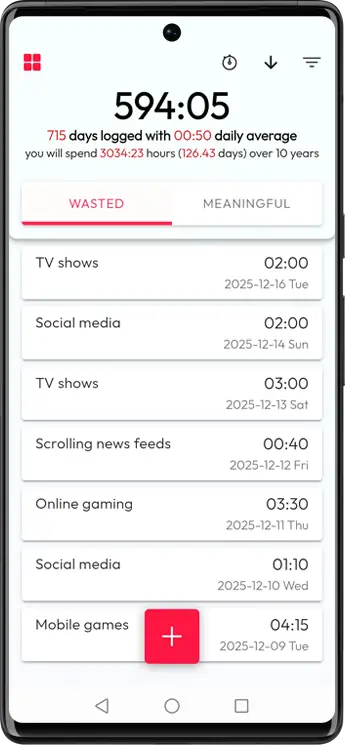
- Track Meaningful and Wasted time by topic
- Log with manual entries or a timer
- Review totals, trends, and consistency
- Offline-first and private by default


The moment you notice
You start the week with good intentions, and then somehow it's Friday and you can't really say where the time went.
Nothing went wrong exactly. The week simply drifted past while you were busy inside it.
- Small scroll sessions that stack up
- Tabs you opened for a reason you have already forgotten
- Busy days that still feel unlived
A clearer look at the week you actually lived tends to do more for you than another push to try harder.
A tracker that acts like a mirror
The whole idea is that facts work better than guessing, and you can have them without turning your life into a spreadsheet.
Perfect coverage was never the point, and a few honest weeks are usually enough for the patterns to show themselves.
What patterns become visible
Once the logs are close to the truth, trade-offs stop feeling abstract.
- What consistently drains you, even when it feels small
- What you keep investing in and what you keep postponing
- Whether your week matches your values or only the to-do list you happened to write
- Which topics consume most of your week, by real totals instead of feelings
- Whether your consistency is improving or slipping for the topics that matter
- How your current pace sits against the quotas and deadlines you set yourself
Where Meaningful ends and Wasted begins
Nobody here is grading your choices. It's a language for seeing things clearly, and you're the one who decides what goes where.
Meaningful Time
Time you consider an investment.
Even rest belongs here when it actually restores you.
Wasted Time
Time you personally experience as a drain.
Usually it's the scrolling you never quite decided to start.
Topics so your time has names
A generic “2 hours” tells you very little a month later, so time goes into topics that match your real life.
Topic examples
Topic management
- Group topics into categories
- Rename and refine as priorities change
- Archive old topics without losing history
Two ways to log time
Manual logging (when you just want it written down)
Add an entry with date, duration, topic, and optional note.
- Date
- Duration (HH:MM)
- Topic
- Optional note
Entries use 5-minute granularity (rounded up), so tracking stays quick.
Timers (when accuracy matters)
Pick a topic, start, pause/resume, and save when done.
- Pause history is visible
- Done flow confirms duration, topic, and date before save
- Only one active timer is allowed across the app
One active timer keeps tracking clean and prevents phantom background time.
From tracking to analysis
This is where a vague “I feel behind” turns into numbers you can actually do something with.
Core analysis views
- Total time per topic for day, week, or month
- Meaningful vs Wasted balance over a selected period
- Trend slides to show direction, not only totals
Filters that cut the noise
- Date range
- Multiple topics
- Keyword search in notes
- Minimum duration
- Sorting by created and updated time
Quotas, deadlines and forecasts when you want a firmer grip
Structure is here when you want it, and it stays quiet when you don't.
Quotas
Set a target amount of time for a topic in a period.
Deadlines
Accumulate X hours by a specific date.
Forecasts
See where your current pace lands and what pace catches up.
What the plan view shows
A compact view that turns a goal into plain numbers you can check yourself against.
- 1Plan vs actual time for the period
- 2Remaining time needed to hit the goal
- 3Expected result by deadline at current pace
- 4Required average pace to catch up
Consistency that counts showing up
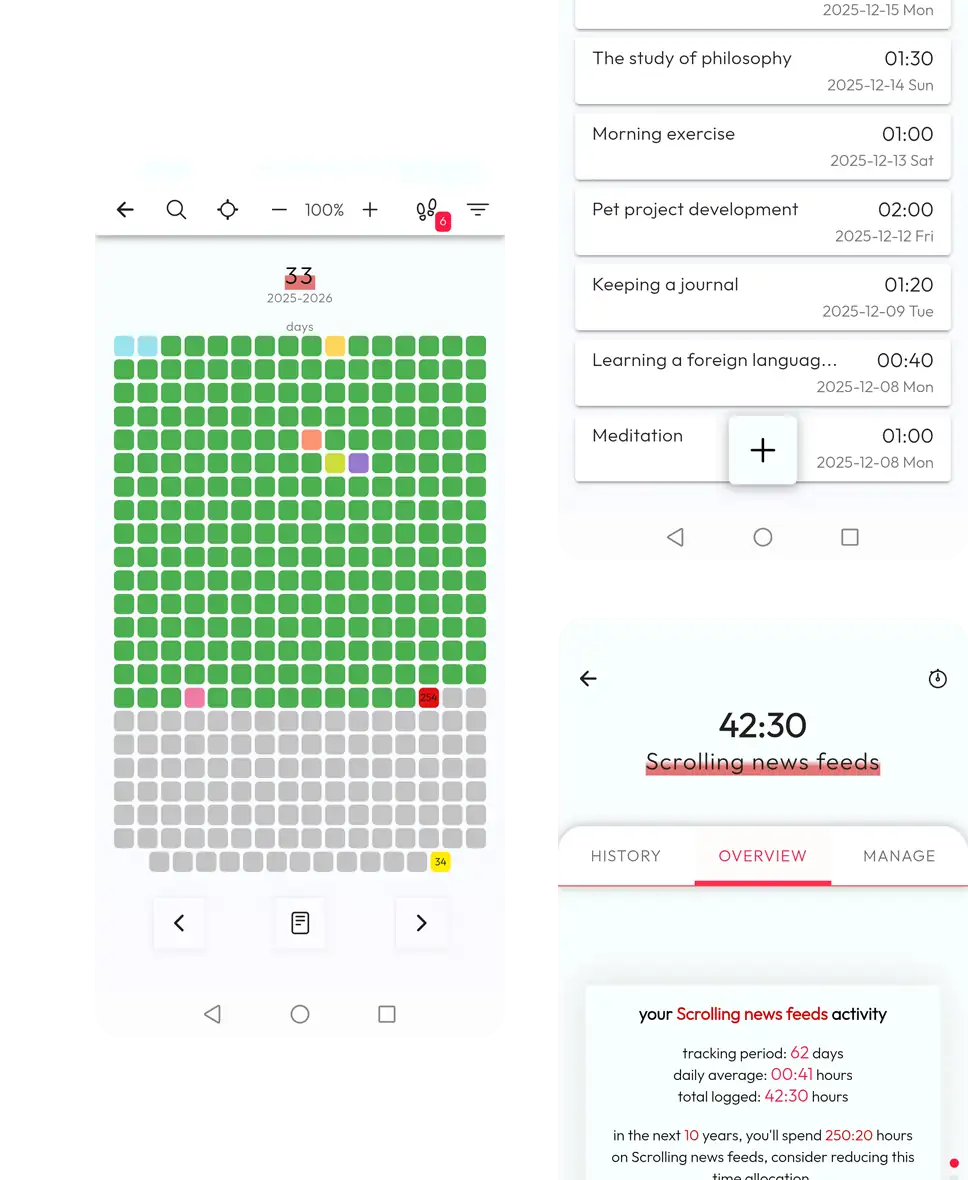
- Consistency is the share of days in a period where a topic has any logged time (>0 minutes).
- Example: 21 active days out of 30 equals 70% consistency.
- It rewards small actions you actually did. Even 15-20 minutes counts.
Private by default
Time data can feel intimate, and the app is built so that you can be honest in it without performing for anyone.
- Works fully offline by default
- Nothing leaves the device unless you publish a calendar
- JSON export/import for backup and device migration
How to start in one week
A setup small enough that it survives an ordinary week.
- 1Create 3 Meaningful topics you actually care about.
- 2Create 1 Wasted topic that reflects your main time leak.
- 3Track for 7 days (manual when easy, timer when accuracy matters).
- 4Sit with one question at the end, “What surprised me?”
- 5Change one small thing next week, even if it's only a topic name you never got right.
Some things, sometimes
Maybe one of these is close to yours, maybe none of them are.
“My evenings disappear”
Start a timer when you reach for the usual app, and leave the habit alone for now. One week is usually enough to show what it really costs you.
“I'm building a habit and it isn't sticking”
Track the topic for 30 days and watch what consistency says. If it comes back low, make the bar smaller until you can actually clear it.
“I've got a project that never moves”
Give the project a deadline measured in hours, and the pace you'd need to hold turns the whole thing into something concrete.
“I hate tracking”
Track one topic, or reach for the timer only when something really matters to you. Even that little still tells you more than guessing does.
FAQ
Short answers before you start tracking.
Start with the week you're in
Track one ordinary week, look at what comes back, and change one small thing. That kind of quiet repetition is usually what makes the picture clear.