Wastime
How much time
do you really waste?
Turn “just a bit of scrolling” into hours, days, and years, and the choosing after that is yours.
Wastime's Wasted Time Calculator helps you estimate the real scale of the small habits that quietly eat the day, like the scrolling you start without ever quite deciding to.
Pick a period, enter a realistic daily average, and add a few simple ratings from dropdowns. What comes back is just a number, and what you do with it stays your call.
- Estimate hidden time sinks across a chosen period
- See totals in hours, days, and years
- Add simple 0-10 ratings to reflect your real experience
- Offline-first and private by default


The problem with “a little bit”
Wasted time rarely arrives as one big mistake. It comes in pieces so familiar that you stop noticing them at all.
- 10 minutes in the morning
- 20 minutes between tasks
- 40 minutes “to rest” that quietly becomes a whole evening
It reads as “nothing” every single time, and repetition turns nothing into weeks.
Built to show the real scale
Wasted Time Calculator exists to show what your repeated patterns actually add up to.
You open it when you want the truth, and you close it again once you have it.
What this calculator does
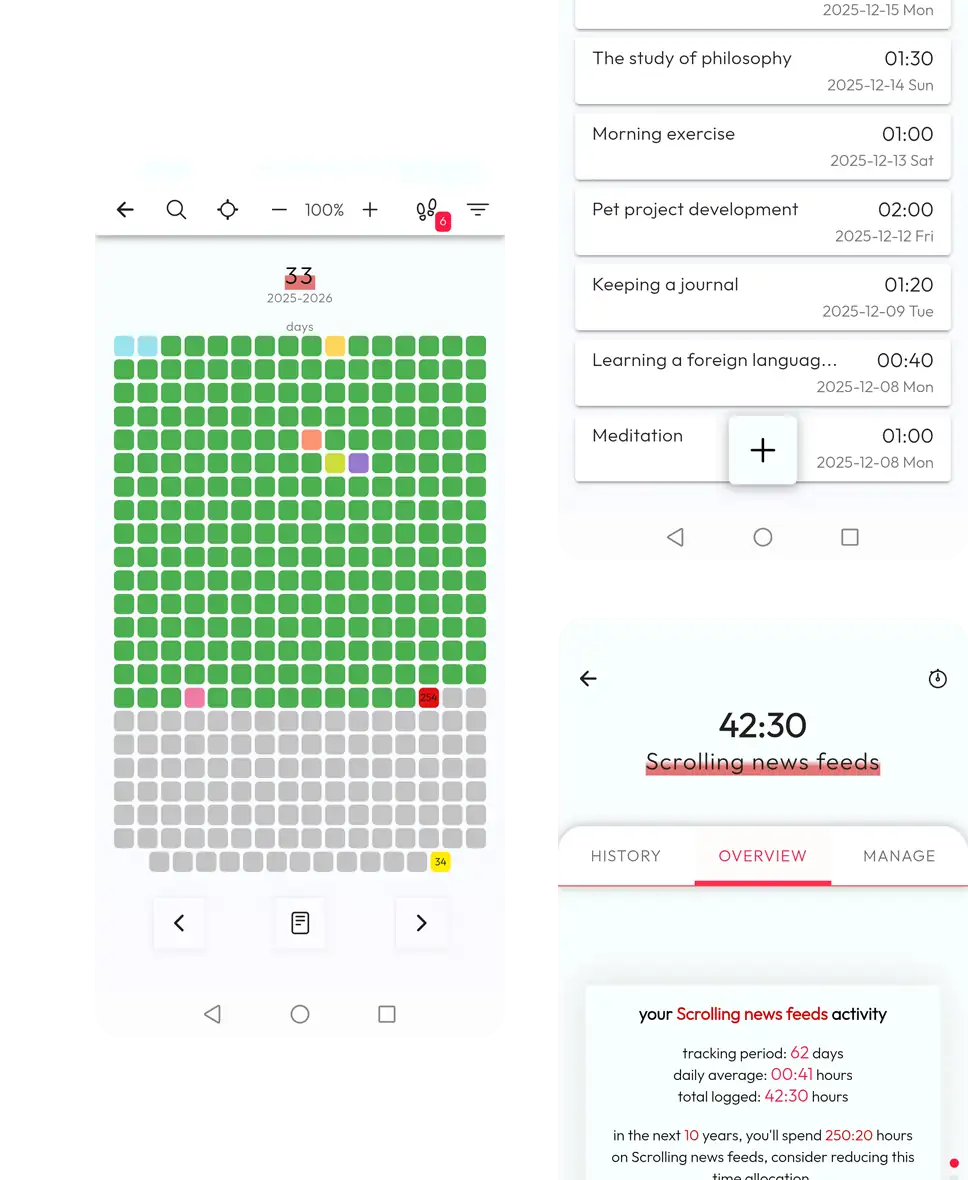
It turns a vague sense of “too much” into a number in units you can actually feel, and keeps the result for whenever you want to look again.
Time scale over a chosen period
Estimate how much one habit has taken over a week, month, or custom range.
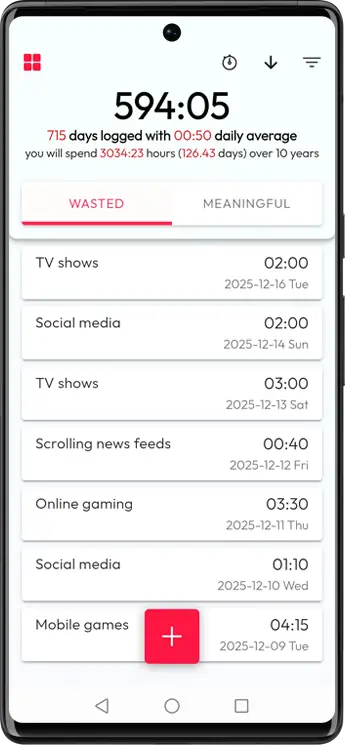
Totals you can picture
One result translated into hours, days, and years so the scale feels real.
Save and compare results
Store estimates with custom titles and revisit them across periods or habits.
Four steps to your own number
Each one takes a few seconds, and none of them ask you to be a better version of yourself than you are.
Step 1
Choose a period
Start with a week, month, or your own custom date range.
- Week
- Month
- Custom range
Step 2
List time sinks
Add activities you want to check, based on real behavior.
- Social media
- Doomscrolling
- Random browsing or procrastination loops
Step 3
Enter a realistic daily average
Go with the average you'd actually admit to.
- Per activity input
- Average per day
- Quick manual entry
Step 4
Add subjective ratings
Pick simple 0-10 values to reflect how each activity affects you.
- No “correct” score
- First instinct is usually enough
- Result feels closer to your reality
Subjective ratings (0-10) make the result feel true
Almost nothing in a day splits cleanly into wasted or worthwhile, and the ratings are there to hold your own read on it.
What you get back
- Total wasted time for the selected period (hours / days / years)
- A clear text summary of what was calculated
- Saved results with custom titles for later comparison
Room for rest
Wastime doesn't assume that every non-productive hour is a bad one.
- Rest and play count as choices you made
- Some evenings are meant to be spent doing nothing much
- The question left is whether the trade-off still suits you at this scale
Private by default
This is personal data, and you'll only be honest with a calculator that keeps it to itself.
- Works fully offline by default
- Data stays on your device
- Sync is optional and only used if you enable it
How to start in one realistic run
- 1Pick one month or a custom range like the last 30 days.
- 2Add one or two activities, not a long list.
- 3Enter an average you can defend as “probably true”.
- 4Choose ratings quickly and save the result.
- 5Decide one small trade-off for next week.
Some things, sometimes
A few situations where people have run this once and left it at that.
“I'm tired, so I scroll”
Look at the monthly total, then decide whether you want to keep resting this way or rest some other way.
“I don't think it's that much”
Run a longer range, somewhere between three months and a year. The number usually starts speaking at that scale.
“I want to cut down, not quit”
Test what happens if you take ten or twenty minutes a day off the habit. Over a year that quietly adds up to weeks.
“I feel guilty even when I rest”
Raise the enjoyment score for the rest you actually wanted. The calculator only reflects back what you tell it.
FAQ
Short answers before your first estimate.
Run one estimate and leave it there
One habit and one average you can stand behind are enough to start, and whatever you make of the number afterwards is yours to decide.