 Wastime
Set your name and date format
The profile in Wastime lives on the phone and needs no account. It holds the name the app shows in its menu and the date format, the order of day and month you are used to, so the dates in the calendars and in Statistics read the way you would write them yourself.
Steps
Open your profile
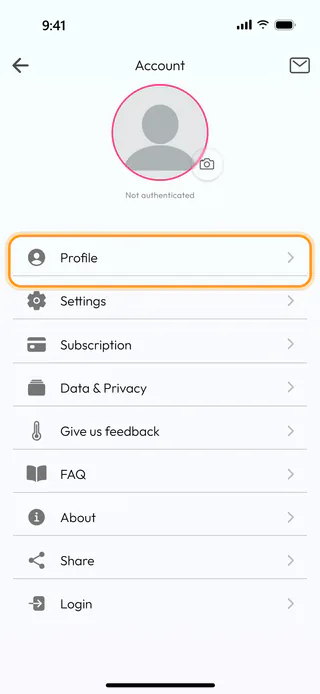
Open the menu with the button at the top left of the home screen, tap Account and then Profile. The camera button on the round photo at the top of Account is where you pick or take a picture for the profile.
Type your name
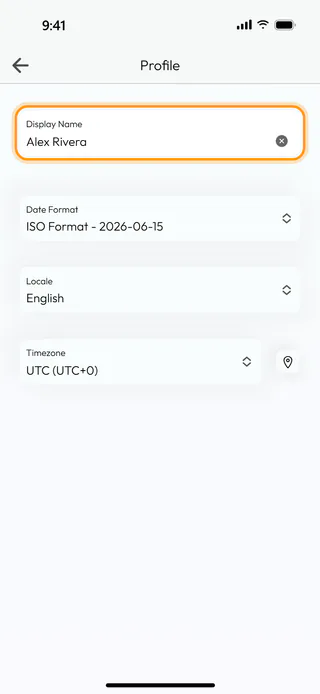
Type your name into Display Name, Alex Rivera in the example. There is no button to press, since the profile saves itself with every change.
Choose a date format
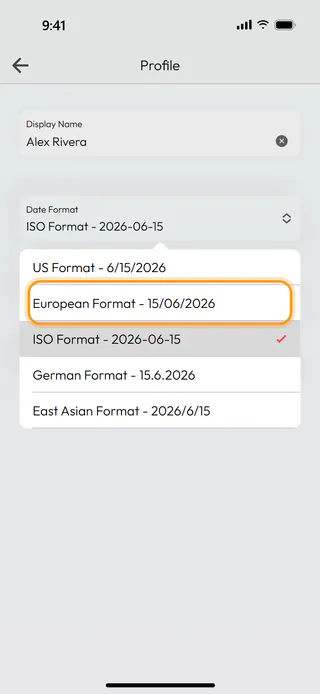
Tap Date Format and choose the one you are used to. Each line shows today's date written that way, so European Format - 15/06/2026 puts the day first, and the choice changes the dates all over the app. Locale and Timezone below take the language and the time zone of your phone, and the button with a pin next to Timezone fills it in from the phone again if it ever looks wrong.
See it on your account
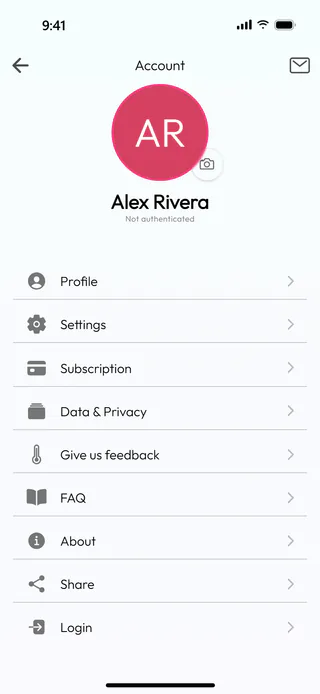
Go back with the arrow at the top left, and Account shows your name with your initials in the round photo, the same as the menu does.
What's next
Choose your home screen makes the app open on the screen you use most.

