 Wastime
Restore your data from a backup
A new phone or a fresh install, and the diary can come back whole from a backup. The app asks whether to add the file to what is already there or to clear everything first and put the backup in its place.
Before you start
You need a backup file kept outside the app, as Back up your data shows.
Steps
Open Import Data
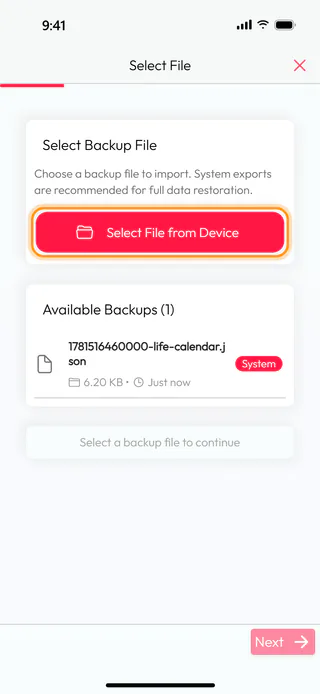
Open the menu with the button at the top left of the home screen, tap Account, then Data & Privacy, Data backup and Import Data. Available Backups lists the files the app already has, the ones you exported here and the ones you picked before.
Choose the backup file
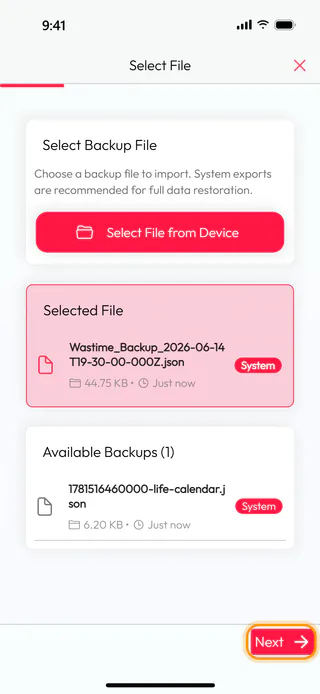
Tap Select File from Device and pick the backup in the Files app of your phone. It shows up under Selected File with its name and size, and Next takes you on.
Decide how the data comes in
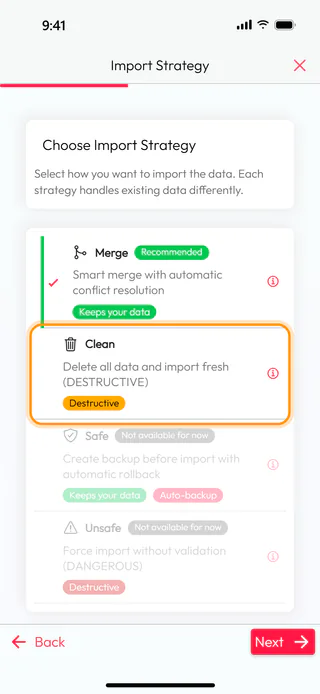
Merge is chosen to begin with and marked Recommended. It adds what is new in the file and keeps the rest of your data, and where a record is in both places, the version from the file wins. Clean deletes everything on the phone first and puts the backup in its place. Safe and Unsafe are in the list too, both "Not available for now".
Replace everything with Clean
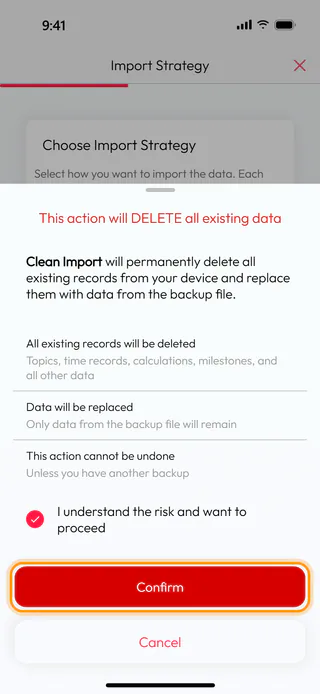
On a new phone, where nothing of your own is there yet, Clean gives you exactly the copy you saved. Tap it, and a window warns that the data on the phone will be deleted and that this can't be undone. Tick I understand the risk and want to proceed and tap Confirm. On a phone that already holds something you want to keep, Cancel leaves Merge in place.
Start the import
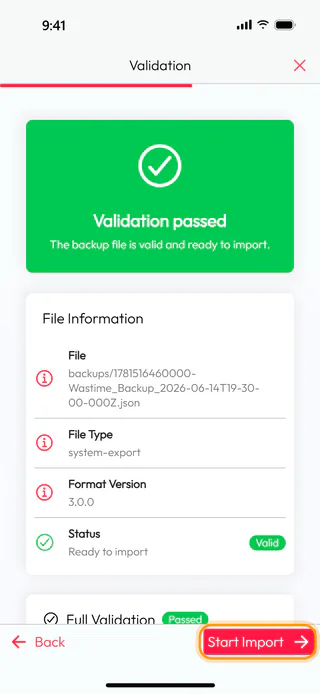
Tap Next. The app checks the file on its own, and "Validation passed" means it is a backup the app can read, here in format 3.0.0. Tap Start Import.
Read the report
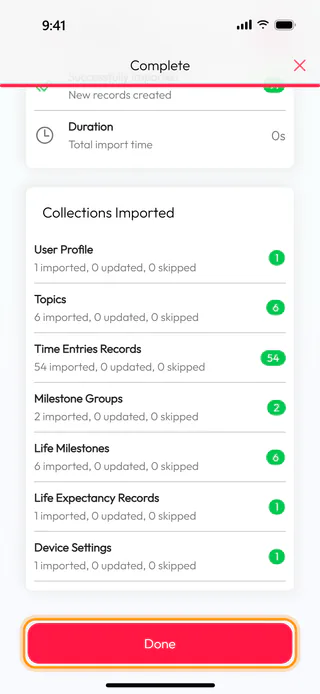
When "Import complete" appears, the report shows how many records came in and how they spread over the parts of the app. Tap Done, and the diary, the calendars and the topics are back in their places.
What's next
Once the data is back, Back up your data is worth a look again, so that the new phone has a fresh copy of its own. Reminders don't travel in a backup, and Set a reminder to log your time sets them up anew.

