 Wastime
Set a reminder to log your time
A time diary works as long as you write in it, and by the evening the day has already started to blur. A reminder at the hour you choose asks you to write it down while you still remember where the hours went.
Before you start
The first time you open Reminders, the phone asks whether Wastime may send you notifications, and without that permission a reminder has no way to reach you.
Steps
Open Reminders
Open the menu with the button at the top left of the home screen, tap Account, then Settings and Reminders. A new reminder starts with the button with a plus at the bottom of the screen.
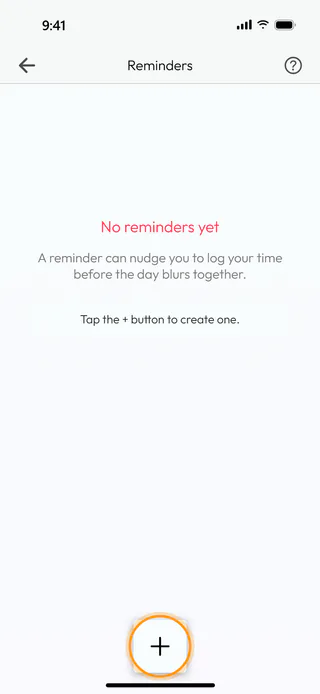
Name it and choose how often
Tap the button with a plus and give the reminder a name, Log the day in the example, so you recognise it among your notifications. Daily is chosen to begin with, and the same list offers Weekly, which asks you to tick the days it should come on. Tap OK to close the list.
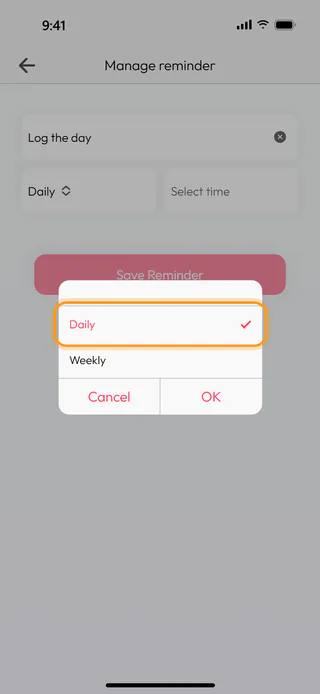
Pick the time
Tap "Select time", turn the wheels to the hour you want, 9:30 PM here, and tap Confirm.
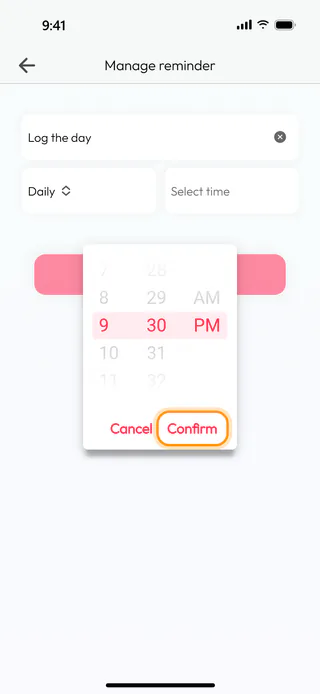
Save the reminder
Tap Save Reminder, and the app answers with "Daily reminder at 9:30 PM has been scheduled."
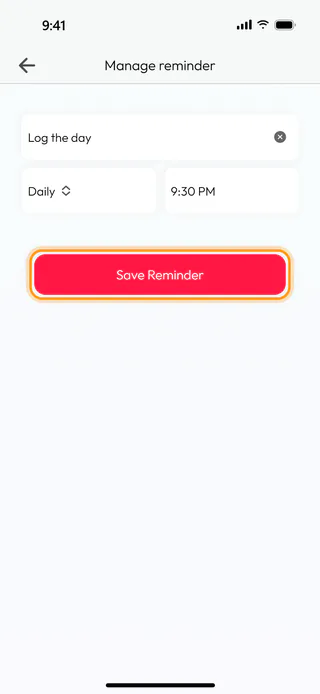
Turn it off when you need a break
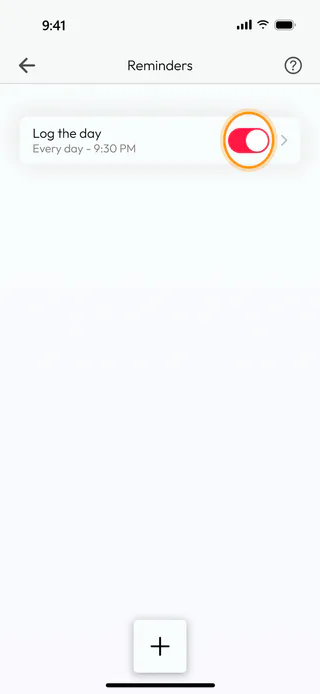
The reminder now sits in the list with its days and time. The switch beside it turns it off for a while without deleting it, a tap on the row opens it for changes, and a swipe to the left brings out the bin.
What's next
Log your time shows what to do once the reminder comes.

