 Wastime
Reorder the menu
The menu lists the features in the order they came with the app. The ones you use most can be moved to the top, so that they are one movement of the thumb closer.
Before you start
Hidden features are not in the list, and Choose which features you see brings them back.
Steps
Open the order of the menu
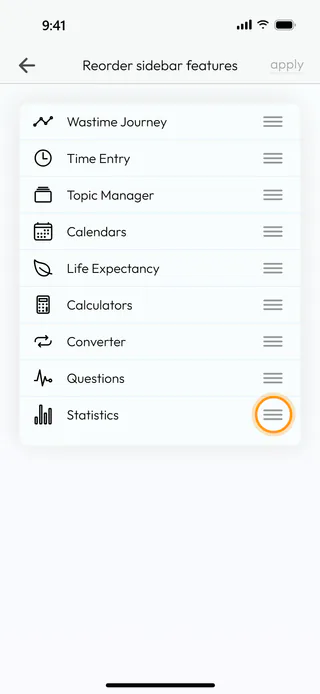
Open the menu with the button at the top left of the home screen, tap Account, then Settings and Reorder sidebar features. Each feature has a handle of three lines on the right.
Drag a feature into place
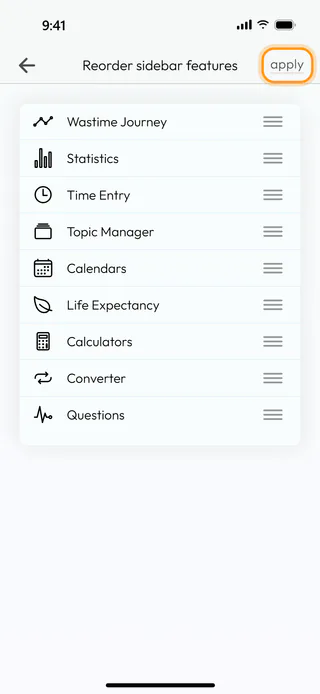
Hold the handle of a feature and drag it to its new place, Statistics right under Wastime Journey in the example. Then tap Apply and Yes.
Open the menu
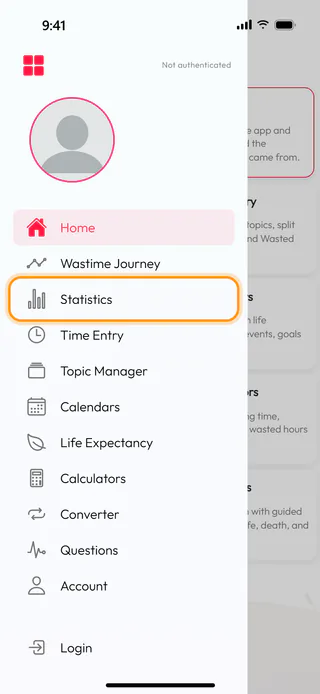
Back on the home screen, open the menu with the button at the top left, and Statistics is now second in it. The tiles of the home screen follow the same order.
What's next
Choose your home screen makes the app open on the feature you use most.

