 Wastime
Review and update a result
Habits change, and the estimate changes with them. A saved result can be opened again to see what it was based on and to correct an answer that is no longer true. Keep in mind that Update writes over the result, so to compare one year with another, it is better to run the calculator anew.
Before you start
You need at least one saved result, and Estimate your life expectancy shows how to get one.
Steps
Open a saved result
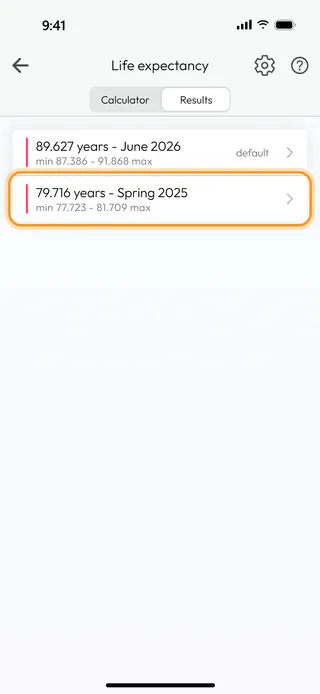
On the Life expectancy screen, switch to Results. Each line shows the estimate in years and the name of the result, the range below them, and "default" on the one the rest of the app counts from. Here there are two, June 2026 and Spring 2025. Tap Spring 2025.
Look at what it was based on
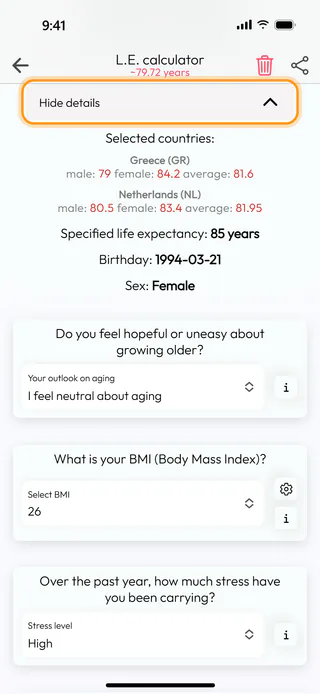
The screen of the result shows its name, the years and the range, and the approximate dates, blurred until you tap them. Tap Show details to see Selected countries:, Specified life expectancy:, Birthday: and Sex: as they were on the day of the calculation. A result keeps these even if you change them on the Life expectancy screen later.
Change an answer
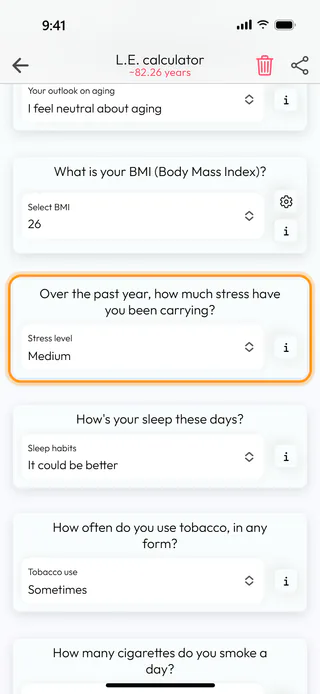
Below the details are the same cards as in the calculator, with the answers you gave then. Pick a new answer where something has changed, here Medium instead of High for Stress level, and the estimate at the top moves with it, to "~82.26 years".
Make it your default
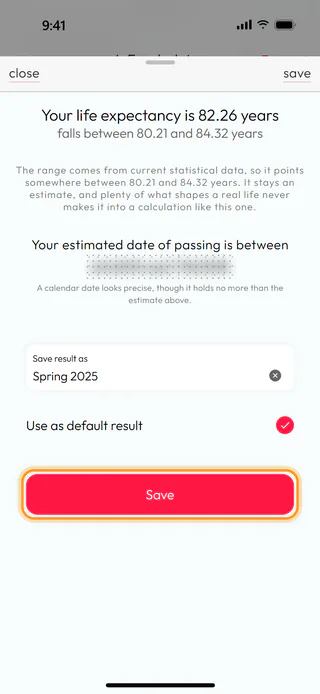
At the bottom, tap Update. The window shows the new estimate, "Your life expectancy is 82.26 years", and keeps the old name under Save result as. Tick Use as default result and tap Save, and the app answers with "Calculation saved successfully". Only one result can carry the default mark, so it moves here from June 2026.
Delete a result you don't need
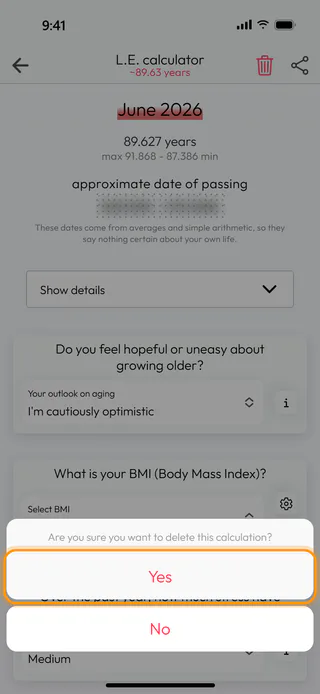
Open the result, here June 2026, and tap the bin at the top right. To "Are you sure you want to delete this calculation?" answer Yes, and the app says "Calculation was deleted successfully". If you delete the default result, the line at the top of Results becomes the default instead.
What's next
The calendars count from your default result once their Life Expectancy type is Calculations, as the last step of Estimate your life expectancy shows. Choose the default life expectancy covers the screens that count from it on their own. Leftover counts saved before the change keep their old figures until you recalculate them, as Bring a Leftover count up to date shows.

