 Wastime
Bring a Leftover count up to date
Leftover counts from today, so a saved figure grows a little stale with every day that passes, quietly promising hours that have already been lived. There is no need to enter it again, because a recalculation takes what you entered and counts it once more from today.
Before you start
You need a saved Leftover count, and Count the time left with someone walks through making one.
Steps
Open the Leftover list
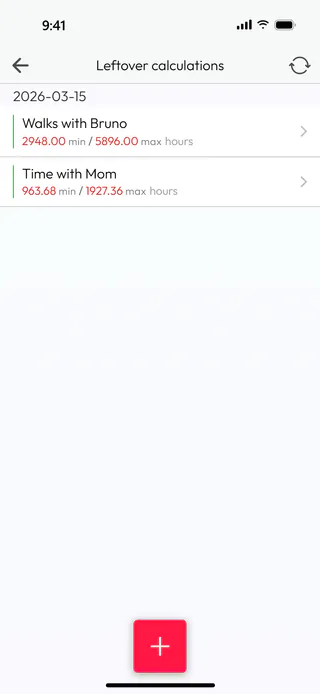
On the home screen, tap Calculators, then Leftover. Each count sits under the day its figures were worked out, here 2026-03-15, three months before today, and Walks with Bruno still reads 2948.00 min / 5896.00 max hours from that day.
Recalculate one count
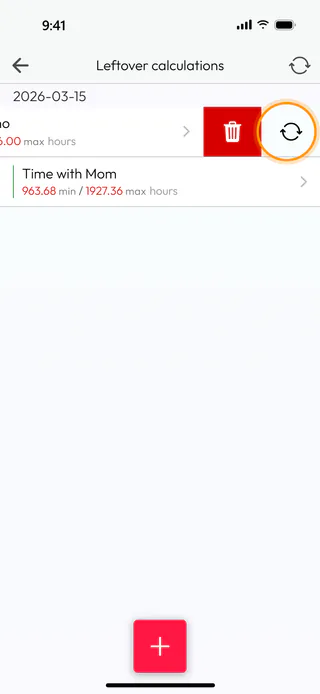
Swipe Walks with Bruno to the left. Next to the red bin a second button appears, the one with two round arrows, and it recalculates this count alone. Tap it, and the app asks "Recalculate this Leftover calculation against today's date? The result will show the time remaining now." Tap Yes.
See what changed
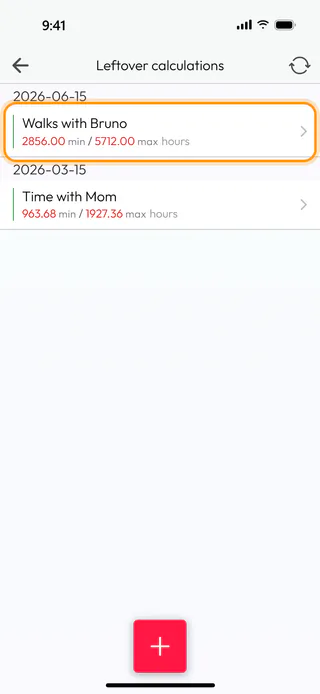
The app reports what moved, here "Max result updated by -184.00 hours, min result updated by -92.00 hours", because the 92 days that have passed since March each took one or two hours with them. Walks with Bruno now sits under today's date, 2026-06-15, with 2856.00 min / 5712.00 max hours.
Recalculate them all
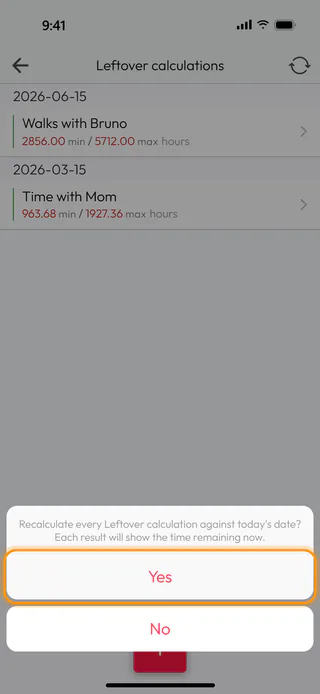
To bring every count up to date at once, tap the button with two round arrows at the top of the list. The app asks "Recalculate every Leftover calculation against today's date? Each result will show the time remaining now." Tap Yes, and it says how many counts it changed, here "1 Leftover calculation recalculated relative to current date". Walks with Bruno is already current, so only Time with Mom moves, to 951.59 min / 1903.18 max hours.
What's next
Your own side of each count comes from your default life expectancy. When you change it, as Choose the default life expectancy shows, or update a result, as Review and update a result shows, the next recalculation counts from the new number. To change the other details of a saved count, see Open, change or delete a calculation.

