 Wastime
Count the time left with someone
Leftover turns the years you still share with someone into hours, whether that someone is your mother or a dog who waits for the evening walk. It counts only the time when both of you are alive, so the number tends to come out smaller than it feels, and what to do with it is yours to decide.
Before you start
Leftover needs your own birthday and life expectancy, because the time together ends with whoever is expected to go first. Both live on the Life Expectancy screen, and Set up your life calendar walks through them, while Choose the default life expectancy picks the number Leftover counts your side from. Until they are in place, the calculator says "This one needs your life expectancy first" and offers Go to Life Expectancy.
Steps
Open Leftover
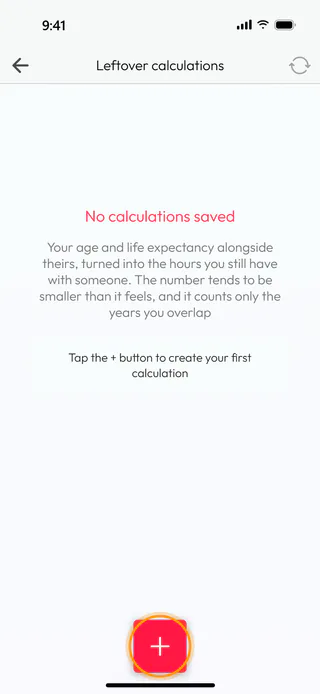
On the home screen, tap Calculators, then Leftover. Your list, Leftover calculations, is empty for now and says "No calculations saved". Tap the round + button at the bottom to start a new calculation.
Give it a name
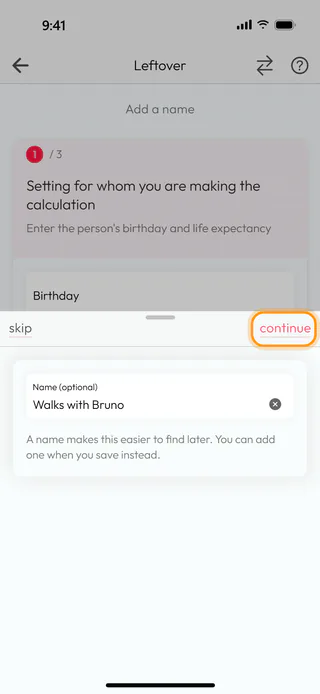
A window comes up over the calculator and asks for Name (optional). Type something you will recognize later, such as Walks with Bruno, and tap Continue. If you would rather name it when you save, Skip leaves the field empty, and the name shown at the top of the calculator can be changed later with a tap.
Say who you are counting with
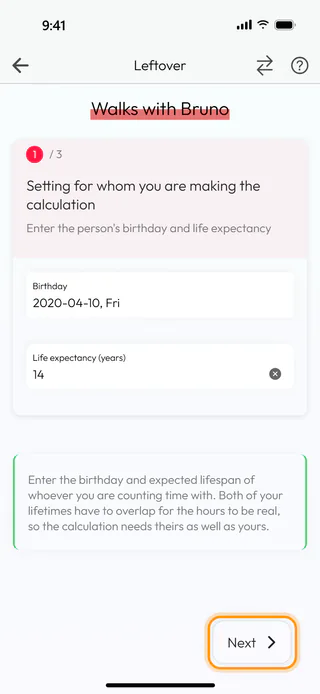
The first of three steps is about the other side. Tap Birthday, turn the wheels to April 10, 2020 and tap Confirm, then type 14 into Life expectancy (years), the age a dog like Bruno is likely to reach. Tap Next.
Say how often you are together
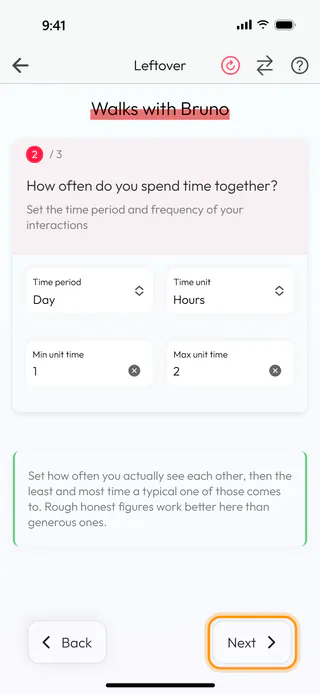
The second step asks how often you see each other and how long a typical time together lasts. Set Time period to Day first and Time unit to Hours after it, because the list of units changes with the period and has no Days for a single day. Then type 1 into Min unit time and 2 into Max unit time, the least and the most a usual day together takes. The minimum can stay empty, and the result then shows a single number. Tap Next.
Read the result
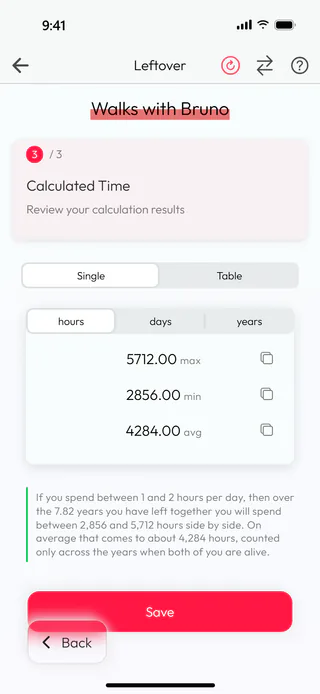
The last step shows what it comes to. For Bruno that is 5712.00 hours at most, 2856.00 at least and 4284.00 on average, and days and years above the numbers show the same in other units, while Table puts them all side by side. Under the numbers the app says it in words, that over the 7.82 years you have left together you will spend between 2,856 and 5,712 hours side by side. The gray button next to each number copies it.
See it all on one page
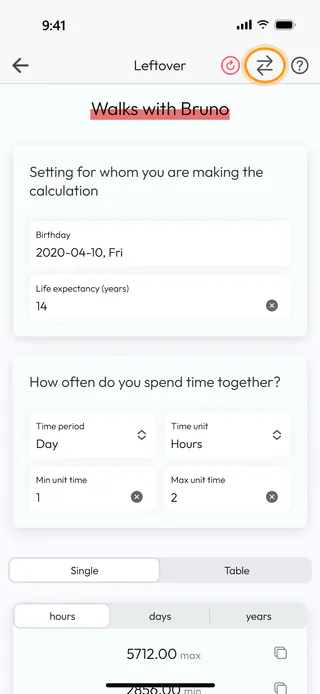
Tap the button with two arrows at the top. The steps give way to a single page with both cards and the result under them, which is handy when you want to change a number and see what it does at once. Leftover keeps this choice for the next time you open it, and the same button brings the steps back.
Save it
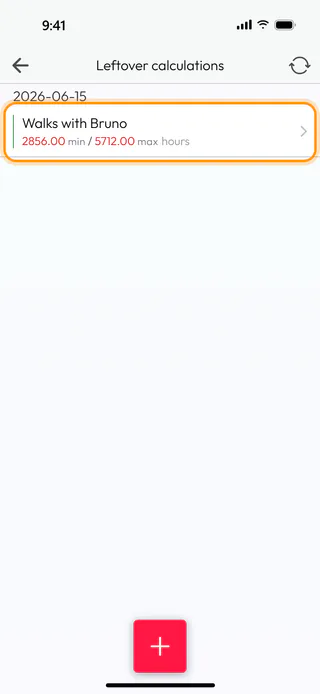
Scroll down to Save under the result, the same button that waits at the bottom of the last step when you use the steps. The Name window asks once more, with Walks with Bruno already in it, and Save there keeps the calculation. The app says "Calculation saved successfully" and takes you back to Leftover calculations, where Walks with Bruno now sits under today's date with 2856.00 min / 5712.00 max hours.
What's next
A number like this can stay with you for a while, and Reflect on a question shows where the leftover calculator questions wait, under From Calculators on the Questions screen. To change the number Leftover counts your own side from, see Choose the default life expectancy.

