 Wastime
Add up what a habit has taken
A habit costs little by the hour and a great deal by the year, which is why it is so easy to keep. Wasted adds up its hours over a stretch of the past you choose, and its factors let you tell an evening you rested and enjoyed apart from one that simply slipped away, so the total stays fair to you in both directions.
Before you start
Wasted works without your life expectancy and without any entries in the diary, so there is nothing to set up first. Naming a calculation works here the same way as in Leftover, and Count the time left with someone walks through it.
Steps
Choose the stretch of time
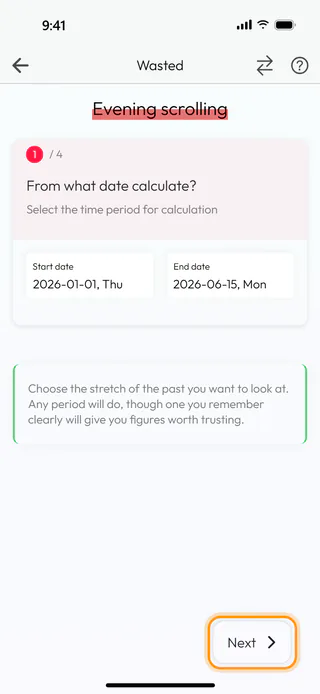
On the home screen, tap Calculators, then Wasted, and start a new calculation with the round + button at the bottom of Wasted calculations. Give it a name you will recognize later, such as Evening scrolling. The first of four steps asks which stretch of the past to look at. Tap Start date, turn the wheels to January 1, 2026 and tap Confirm. End date already holds today. Tap it too and keep the date with Confirm, so that today is counted as well. Neither date can be later than today, because Wasted only looks at time that has already gone. Tap Next.
Say how much time it took
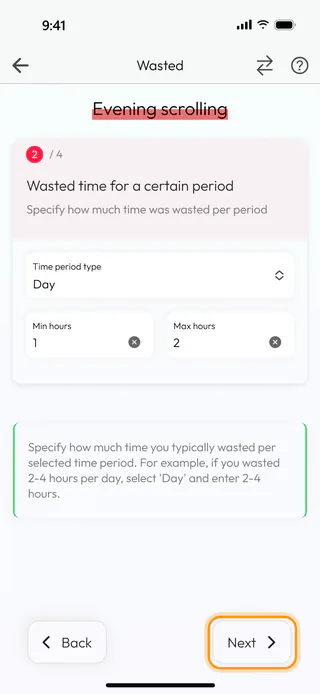
The second step asks how much of each day, week or month the habit took. Time period type starts on Week, and for an evening habit Day fits better. Then type 1 into Min hours and 2 into Max hours, the least and the most it took on a usual evening. Both numbers are needed here, so for a habit that never changes type the same number twice. Tap Next.
Weigh what it gave back
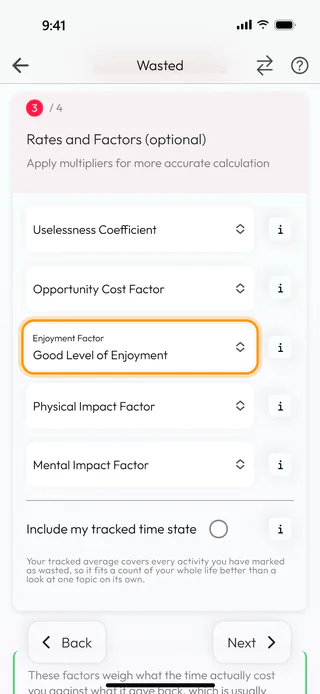
The third step holds five factors that weigh what the time cost you against what it gave back, and you can leave all of them empty. Tap Enjoyment Factor and choose Good Level of Enjoyment in the list that opens from the bottom, since an evening you liked is worth something even when it went to a feed. Each factor has eleven levels, and the one in the middle, Neutral in this list, leaves the total as it is. The small button with an i next to each factor explains what it means and how it moves the result. Lower down, Include my tracked time state mixes the average from your diary into the result, which suits a look at your whole life better than one habit, so for Evening scrolling it stays off, and Weigh an estimate against your tracked time shows it at work. Tap Next.
See what it adds up to
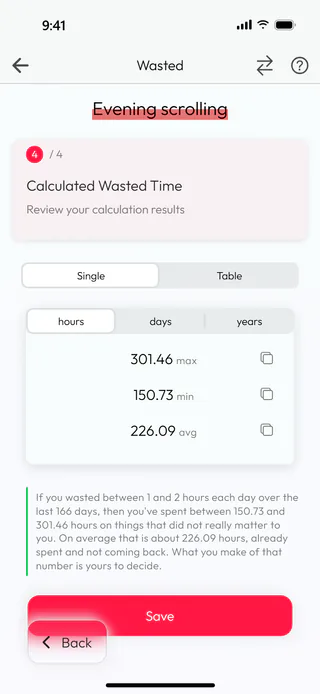
The last step shows what the habit has taken. For Evening scrolling that is 301.46 hours at most, 150.73 at least and 226.09 on average, and the sentence under the numbers puts it in words, counting the 166 days since New Year. Without the factor the totals would be 332, 166 and 249, so the evenings you enjoyed take about a tenth off. days and years above the numbers show the result in other units, and Table puts them side by side. If you would rather see every field and the result together, the button with two arrows at the top turns the steps into a single page.
Save it
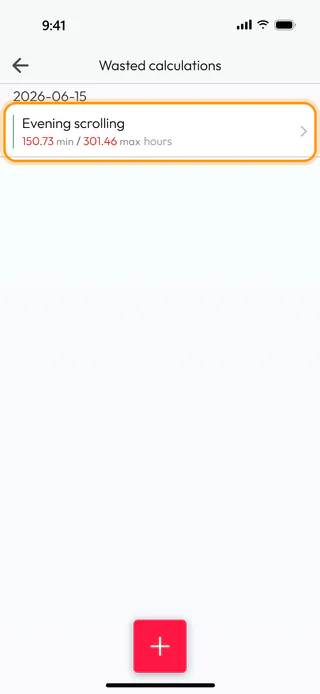
Tap Save at the bottom of the last step. The Name window comes up once more with Evening scrolling already in it, and Save there keeps the calculation. The app says "Calculation saved successfully" and takes you back to Wasted calculations, where Evening scrolling now sits under today's date with 150.73 min / 301.46 max hours.
What's next
If you would like to follow the habit from today on, Identify a wasted topic shows how to keep it as a wasted topic in the diary, and Log your time shows how its hours get written down day by day. The wasted calculator questions under From Calculators on the Questions screen pick up where the number leaves off, and Reflect on a question shows how a deck works. To run a routine forward across the years instead, See what a routine adds up to does it in Basic.

