 Wastime
Turn a price into hours of work
A price in money says little about what it really costs you. The converter turns it into the hours of work it takes at your own rate, and shows how much of that time goes to tax along the way.
Before you start
The converter counts from a rate, and Create your first rate sets one up.
Steps
Check the rate
On the home screen, tap Converter. Under Rate you see which rate the converter counts with, and next to it the kind of pay and the amount, like "Monthly rate €4,500.00". It opens on the rate you used last.
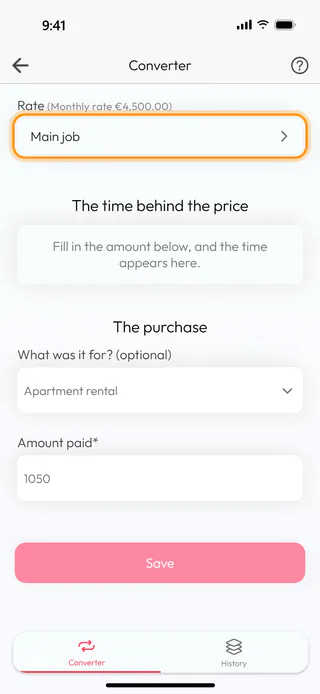
Type the price
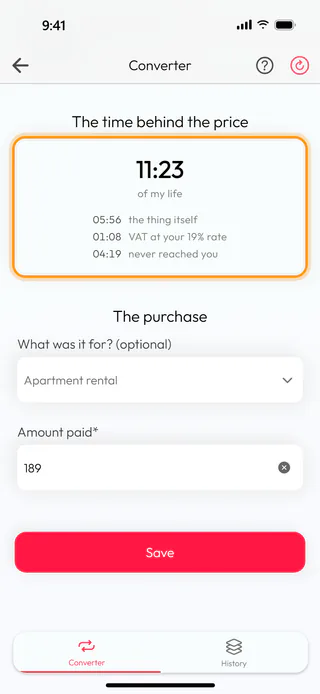
Type the price into Amount paid*. The time appears above it straight away, followed by "of my life", and under it the lines that make it up. "the thing itself" is the part that went to the purchase, the tax line shows what went to the tax inside the price at your rate, and "never reached you" is the time you worked for what was taken from your pay before it arrived. With a rate whose prices get tax added at the checkout, the field is called Shelf price* instead.
Say what it was for
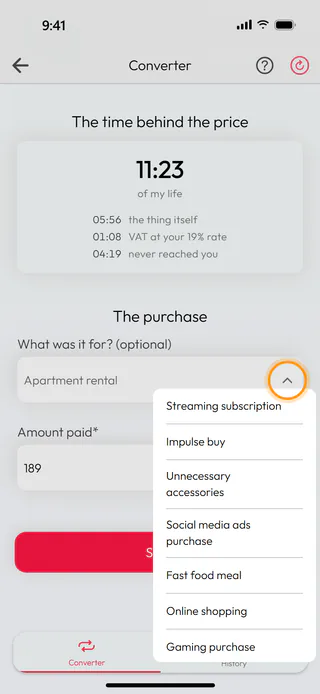
Under What was it for? (optional), type what you bought, or tap the arrow at the end of the field and pick one of the ready-made descriptions. A purchase saved without one gets the date as its name.
Copy the time
A tap on the result copies the time, so you can paste it into a note or a message, and the app answers with "copied". The round arrow at the top clears the form when you want to start over with another price.
Save it to your history
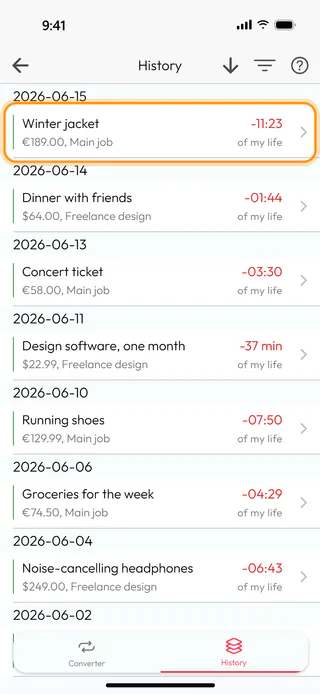
Tap Save. The app confirms with "Saved" and empties the form for the next price. The purchase now waits on the History tab, at the top of the list, with its price, its rate and the time it took.
Use another rate
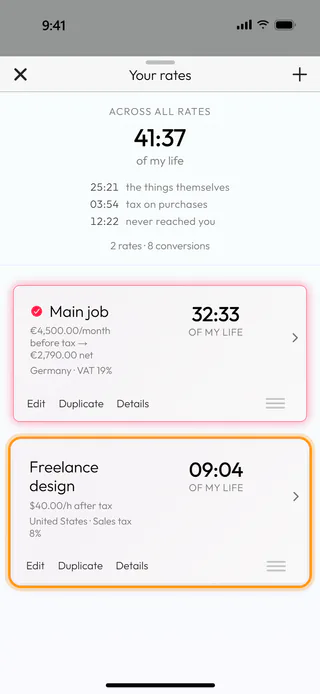
When you have more than one rate, tap the one under Rate. Your rates lists all of them with the time each has added up to so far. Pull the sheet up to see every rate, and tap the one the converter should count with.
What's next
Taxes change the picture quite a bit, and Account for taxes in the converter explains how the converter counts them. The purchases you save can be looked through and corrected later, as Review and edit your history shows, and Work with several rates covers keeping more than one rate. The Money to Time Converter page says more about the idea behind it.

