 Wastime
Edit, find and delete milestones
Milestones rarely stay exactly as you first wrote them down, and a day you remembered as one date can turn out, years later, to have been a whole week. All of that is changed in the same editor where the milestone was created, and the ones that stopped mattering can go from there too.
Before you start
This guide works with milestones you already have. If the list is still empty, Add a milestone to your life calendar walks through the first one.
Steps
Find a milestone
On the home screen, tap Calendars and switch to the Milestones tab. Tap the magnifier at the top and type a word from the name into Search, and the list narrows to the milestones that match it. The search looks at dates as well as names, though it does not know the names of groups, and Cancel brings the whole list back. The arrow next to the magnifier turns the order of the years around when you would rather start from the oldest.
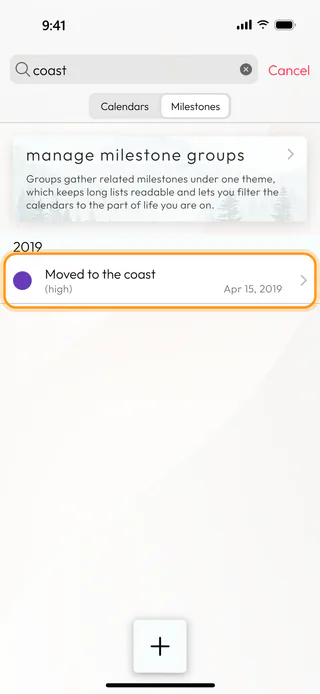
Open it to make changes
Tap the milestone to open it. The Life milestone screen shows everything you entered before, and any of it can change, from the name in Milestone to its Group, its Priority or the color under Select color.
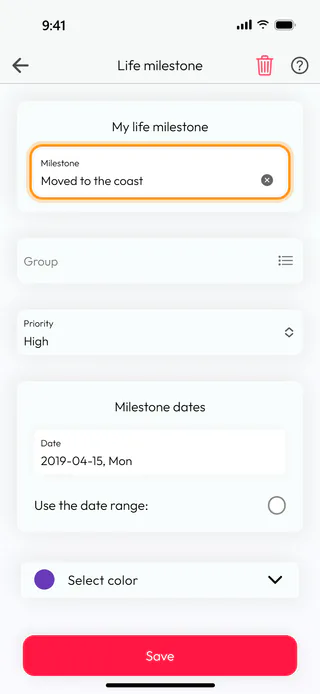
Turn the date into a range
If the moment lasted longer than a day, tick Use the date range:. The Date field becomes Start Date, and an empty End Date appears next to it. Tap End Date, turn the month, day and year wheels to the last day and tap Confirm. The end may fall on the same day as the start, but never before it.
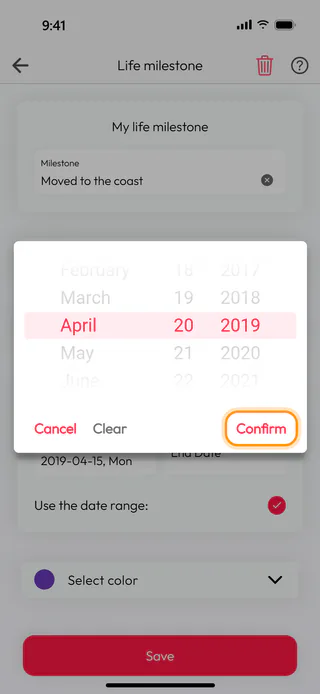
Save the changes
Tap Save. The app confirms with "Milestone saved." and takes you back to the list, where the milestone now shows both of its dates. If the search is still open at the top, Cancel brings back the full list. Leaving the screen with the back arrow instead of Save drops whatever you changed, and the app does not ask first.
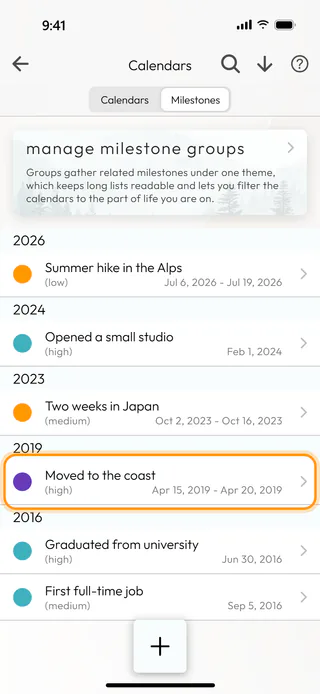
Delete a milestone
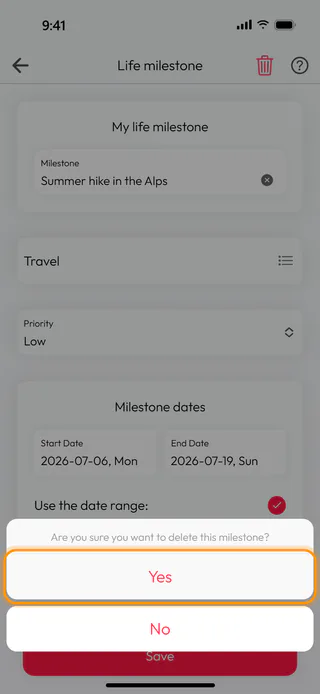
Open the milestone you no longer need and tap the bin at the top right. The app asks "Are you sure you want to delete this milestone?", and Yes removes it from the list and from every calendar. A deleted milestone cannot be brought back, and the list has no swipe for deleting, so the bin in the editor is the one way to do it.
What's next
To see where your milestones fall within a single year, day by day, Explore a year in days opens the Ages calendar. When the list grows long, groups keep it readable, and Group and color milestones shows how to set them up.

