 Wastime
Look back on your logged hours
Entries in the diary say little one by one, while a whole week of them already tells where the time went. On the Time tab the hours you logged add up for a day, a week, a month or a year, the wasted and the meaningful apart, and you can see how the two weigh against each other.
Before you start
The tab counts what you write down in Time Entry, so it needs some entries first, as Log your time shows.
Steps
Open the Time tab
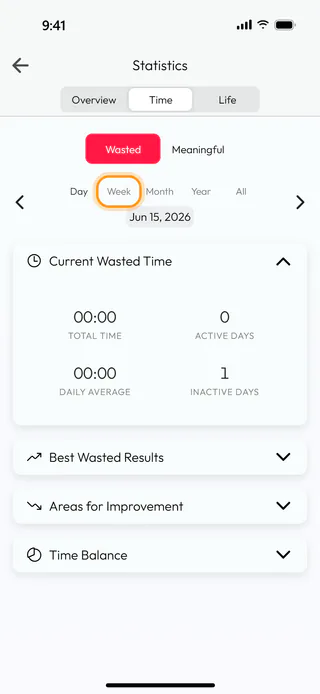
On the home screen, tap Statistics and switch to Time. It opens on Wasted for Day, which is today, and in the morning that day is often still empty.
Choose a week
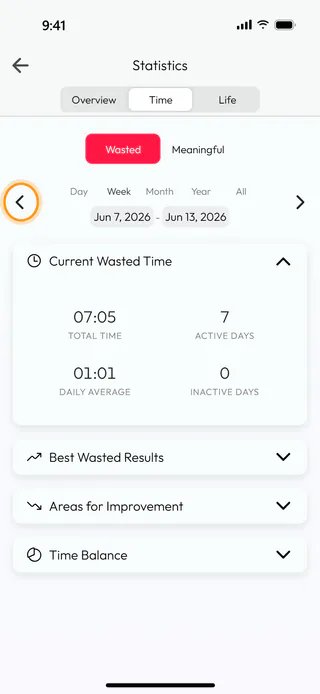
Tap Week for the week around today, from Sunday to Saturday, and then the arrow on the left to go back a week, to 7 to 13 June in the example. Total Time is everything logged in that week, 07:05 here, Active Days counts the days with at least one entry and Inactive Days the ones without. Daily Average divides the total by every day of the period, the empty ones and those still ahead included, so in a week that has only just begun it reads lower than the days you have logged would suggest.
Switch to meaningful time
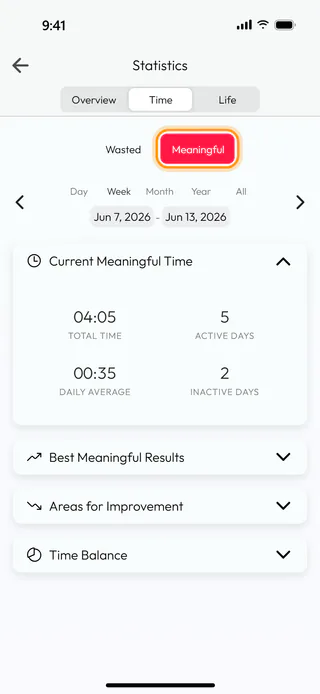
Tap Meaningful, and the same week shows the time you logged as meaningful, 04:05 over five days. Month, Year and All work the same way, and the dates under the buttons can be changed to a stretch of your own, as Find the peaks in your logged hours shows.
See the balance of the two
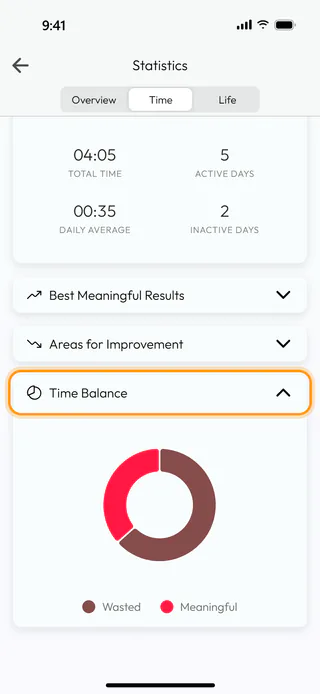
Further down, open Time Balance. Its ring sets the wasted hours of the period against the meaningful ones, from whichever side you look, so a glance at it tells which way the week leaned.
What's next
Find the peaks in your logged hours finds the easiest and the hardest days and weeks inside a period, and See how a topic adds up does the same kind of counting for a single topic.

