 Wastime
See what passed while you were away
Between two visits to the app a stretch of life goes by that nobody usually counts. Statistics counts it in hours and as a share of your expected life, and leaves a few questions beside it about where those hours went.
Before you start
The card needs your birthday and your life expectancy, which Set up your life calendar puts in place, and at least one earlier visit, since on the very first one there is nothing to compare it with.
Steps
Open Statistics after a break
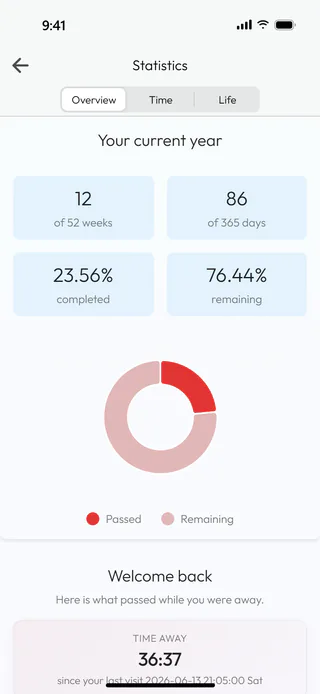
Come back to the app after some time away and tap Statistics on the home screen. On Overview, under Your current year, there is now a card that begins with Welcome back.
Read how long you were away
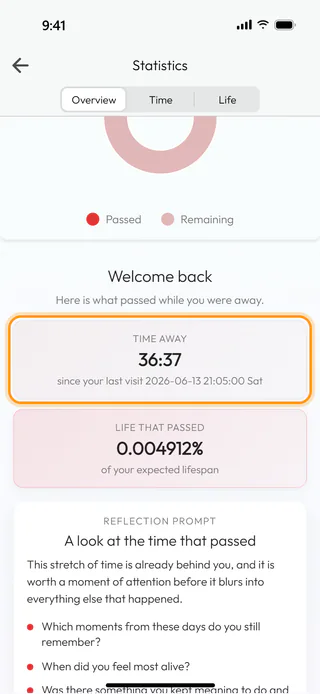
Time away gives the hours and minutes since you last had the app open, 36:37 in the example, and the line under it says when that was. A visit starts when you open the app, and coming back to it after half an hour or more in the background starts a new one. Life that passed turns the same stretch into a share of your expected life, here 0.004912%, a number so small it is easy to wave away, until you remember that a whole life is made of such stretches.
Sit with the questions
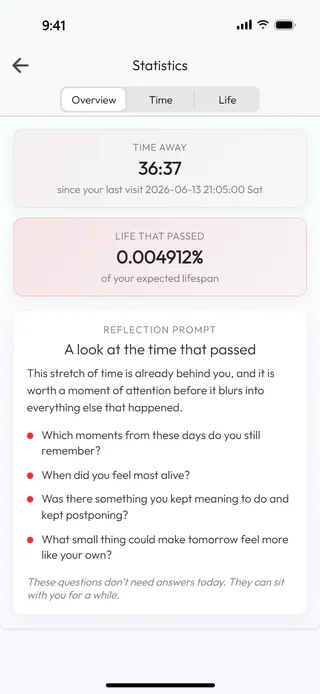
Under the figures, Reflection prompt offers a few questions about the time that went by, such as which moments of those days you still remember. They need no answer and the app keeps none, so they are there for as long as you want to think about them. The set changes from time to time, at most once a day.
What's next
There are many more questions like these in the decks of Questions, as Reflect on a question shows, and See how much of your year has passed explains the card above this one.

