 Wastime
Find out when a goal will be done
Sometimes it is the hours of a goal that you know and the date that you do not, a course that takes sixty hours or a draft that will need a hundred. Planning turns those hours into a day on the calendar, the one the goal lands on if you give it a steady part of each day from today on.
Before you start
Nothing has to be in place first. The name window works the same way as in Count the time left with someone, and Work out what a goal asks of you asks the question the other way round, starting from a date.
Steps
Ask for a date
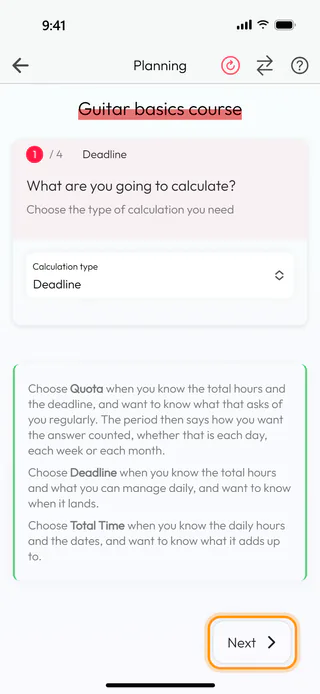
On the home screen, tap Calculators, then Planning, and start a new calculation called Guitar basics course. On the first of four steps, tap Calculation type and choose Deadline, the one for when you know the total hours and what you can manage daily and want to know when it lands. Tap Next.
Say how many hours it takes
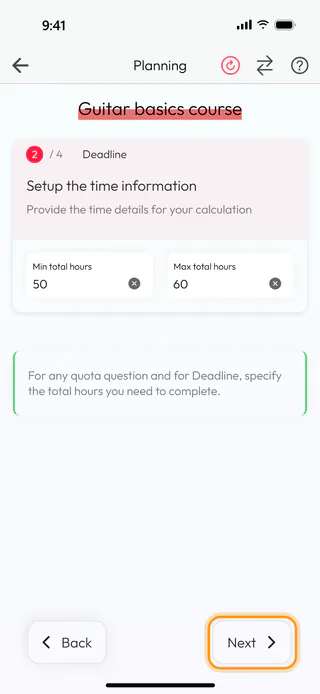
The second step asks for the hours in all. Type 50 into Min total hours and 60 into Max total hours, the least and the most the course is likely to take. With a single figure in mind the minimum can stay empty, and the answer is then one date. Tap Next.
Say how much a day you can give
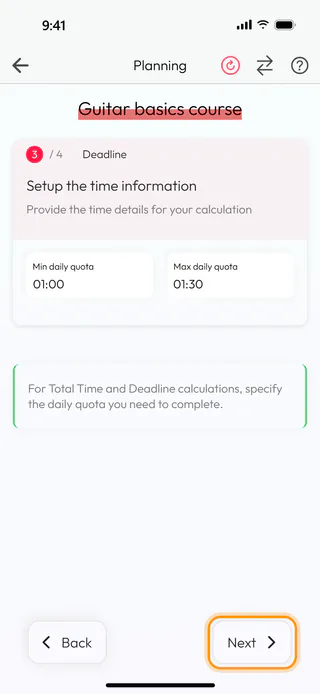
The third step asks how much of a day you can give the goal. Tap Min daily quota, turn the wheels to 01:00 and tap Confirm, then set Max daily quota to 01:30 the same way. Tap Next.
See when it lands
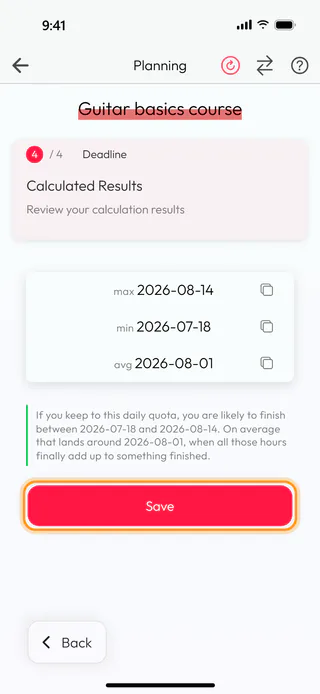
The last step counts from today. The most hours at the slower pace finish on max 2026-08-14, the fewest hours at the faster pace on min 2026-07-18, and avg 2026-08-01 sits between them, with the sentence under the dates saying the same in words. Tap Save under the result, and the Name window keeps it in Planning calculations, where the row reads 2026-07-18 min / 2026-08-14 max deadline.
A saved calculation counts again from the day you open it, so its dates move forward when you come back to it later, while its row in the list keeps the dates of the day it was saved. The same question also opens from the deadline of a topic in Topic Manager, where Calculate daily need brings Planning up in a window with Deadline already chosen and no Save.
What's next
Set a goal for a topic shows how to give a topic a deadline in the diary, so the date stays in front of you as the hours go in. When the date is fixed and the pace is the question, Work out what a goal asks of you works it out the other way.

