 Wastime
Count from your country's average
The number of years you typed in for yourself is a guess, and there is nothing wrong with that. The average for the country you live in, or the one you grew up in, is another place to start from, and the calendars can count from it just as well.
Before you start
The calendars need your birthday and a life expectancy of your own first, and Set up your life calendar puts them in place.
Steps
Open your life expectancy
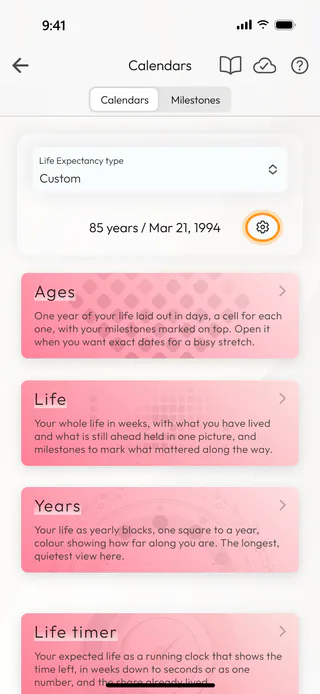
On the home screen, tap Calendars. Under Life Expectancy type you see the line with your years and your birthday, like "85 years / Mar 21, 1994", and at the end of it a small button with a gear. Tap it to open Life expectancy. The Life Expectancy tile on the home screen leads to the same place.
Pick your countries
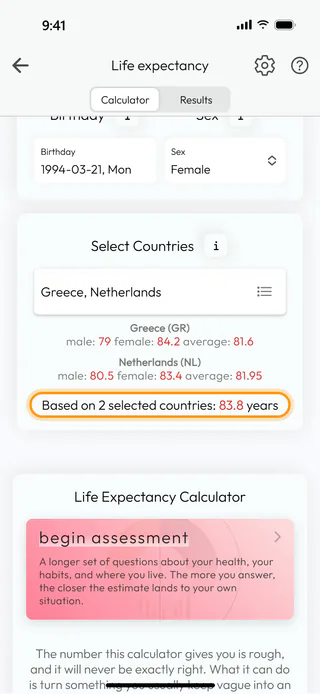
Tap the field under Select Countries. In Countries, type a name into the search and tap the country to tick it. You can tick as many as you like, the country you live in and the one you grew up in, for example, and the search keeps the ticks when you look for the next one. Tap Apply when you are done.

Check the average
Under the field, every country shows three numbers, the life expectancy for men, for women and for both. The line under them gives the average the calendars will use, "Based on 2 selected countries: 83.8 years". Sex above decides which of the numbers counts. With Male or Female it is that number, and with Prefer not to say it is the middle between the two.
Switch your calendars to it
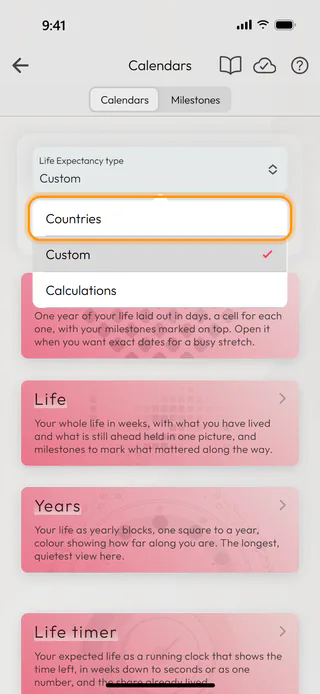
Go back to Calendars. The line still shows your own number, since the calendars keep a choice of their own. Tap Life Expectancy type and choose Countries.
See the new number
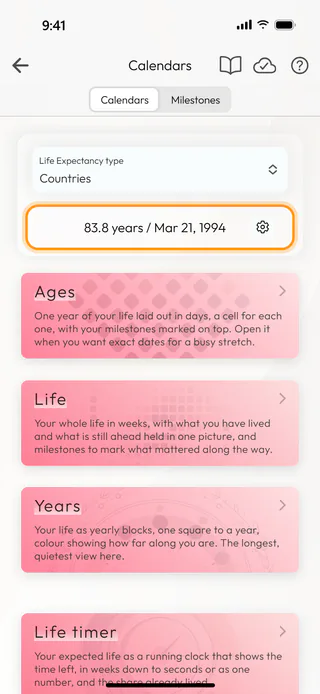
The line now reads "83.8 years / Mar 21, 1994". Life, Ages, Years and the Life timer all count from it, and if you pick other countries later, the line follows on its own. Custom takes you back to your own number, which stays where you left it.
What's next
Read your life in weeks shows what the grid looks like up close, and Watch the life timer counts down from the same number. The Life Expectancy page says more about where the number comes from.

