 Wastime
See your life in years
Years is the shortest way to see a life, one square for each year of it. It doesn't show what happened in a particular week. What it shows well is how much is already behind you and how much is still ahead.
Before you start
Years is drawn from your birthday and your life expectancy, and Set up your life calendar puts both in place.
Steps
Open Years
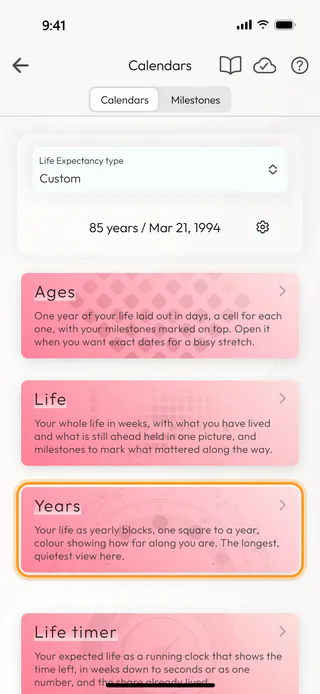
On the home screen, tap Calendars and, on the Calendars tab, tap Years. The target button at the top of Life and Ages opens it too.
Read the squares
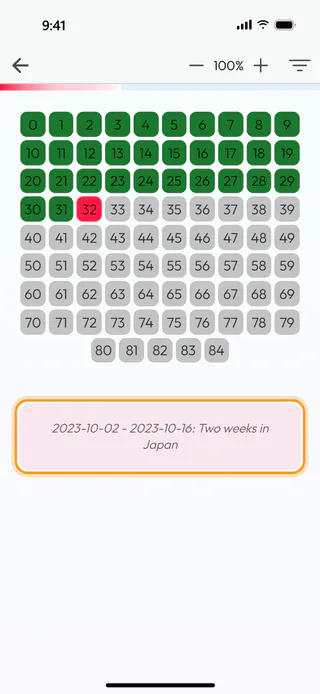
Each square is one year, and its number is the age you are during that year. The first square is 0, the year before your first birthday, and the last one is the year before your life expectancy runs out. The green squares are behind you, the grey ones are still ahead, and the one you are in now gently pulses red. The thin bar at the very top fills up with the share of your life you have already lived. The + and − buttons make the squares larger or smaller, up to 300%.
At the bottom, the line under the squares goes through all your milestones one by one, the past ones and those still to come, and moves on to the next one every few seconds. On Years the milestones don't paint the squares, so this line is where they appear.
Open a year in days
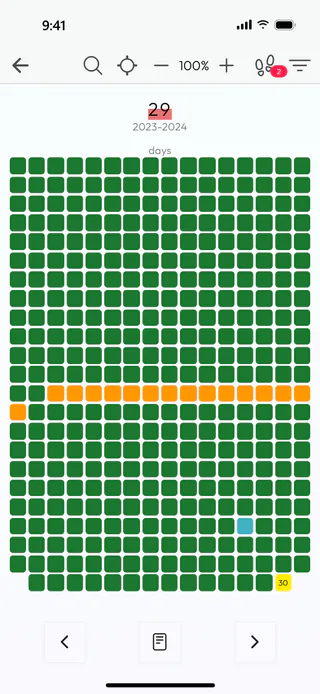
Tap a square, and Ages opens on that age, here 29, with its years, 2023-2024, under the number. The arrow at the top takes you back to Years.
Choose what Years shows
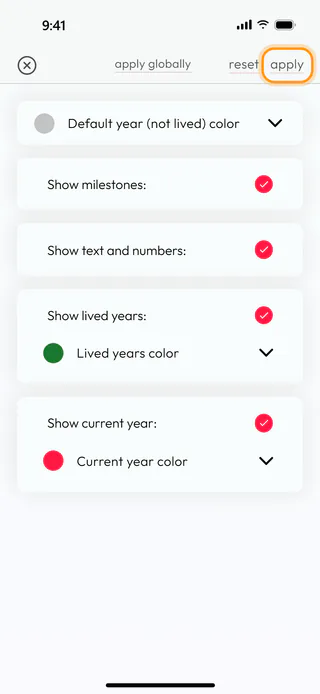
Tap the button with three lines at the top. Default year (not lived) color, Lived years color and Current year color change the colors of the squares. Show milestones: turns the line at the bottom on or off, Show text and numbers: the numbers in the squares, and Show lived years: and Show current year: the colors of the years behind you and of this one. Apply saves the choice for Years, and Apply globally carries it over to Life and Ages as well.
What's next
Explore a year in days shows what a single year holds day by day, and Watch the life timer turns the same life into a running clock. The filters of all three calendars are covered in more detail in Change calendar colors and filters, and the Life Calendar page says more about what the calendar is for.

