 Wastime
Edit or delete an entry
Most entries are written from memory, a little after the fact, and memory rounds things off. Any entry can be put right later, and Log Details shows how much that one entry moved your average, which makes it easier to see whether twenty minutes here or there actually matter. Deleting an entry is also possible, though it cannot be undone.
Before you start
You need at least one entry in Time Entry, and Log your time shows how to write the first one. The same form also opens from the History tab of a topic, as See how a topic adds up shows.
Steps
Open the entry
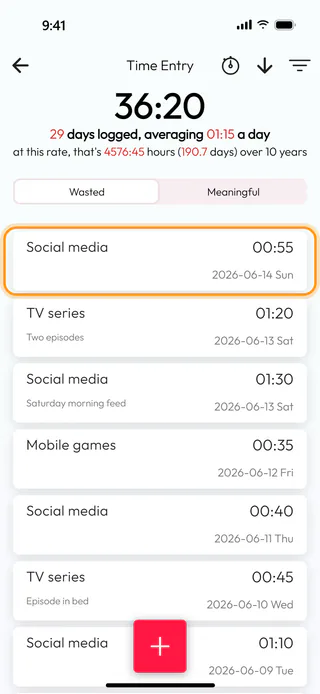
On the home screen, tap Time Entry. It opens on Wasted, with the total of that side at the top, here 36:20 over 29 days, and the entries below it, the latest first. Tap the entry you want to correct, here Social media with 00:55 on 2026-06-14.
See what it did to your average
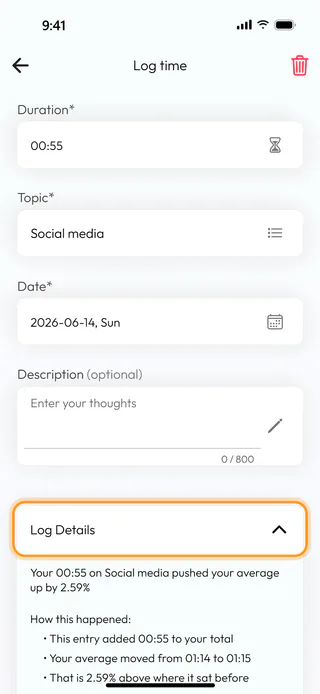
The entry opens in Log time, the same form it was written in, with a bin at the top right. Tap Log Details to see what this one entry did to the numbers. Here it reads "Your 00:55 on Social media pushed your average up by 2.59%", and the lines under it say that the average moved from 01:14 to 01:15 a day. Further down the details work out what that comes to over ten years, the round button with an "i" opens a fuller breakdown, and the last two lines say when the entry was created and last changed. On the wasted side the average is that of all your wasted time together, while on the meaningful side it belongs to the topic alone.
Change the duration
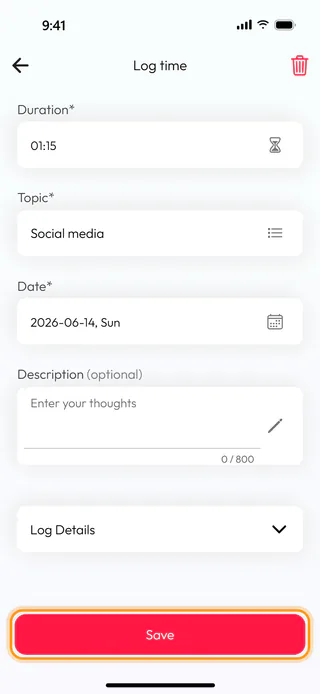
Tap Log Details again to fold it away, then tap Duration*. Turn the wheels to the right length, here 01:15, and tap Confirm. Save at the bottom comes alive only once something in the form differs from the saved entry. The other fields change the same way, though Topic* offers only the topics of the same side, while Date* takes any day, earlier or later. If you go back with a change unsaved, the app asks "You have unsaved changes. Discard?". An entry that Starting hours added to a topic, as Add hours you spent before shows, says "This is an auto-generated time entry and cannot be edited." and can only be deleted, and an entry from a timer moves on its minute wheel one minute at a time.
Save it
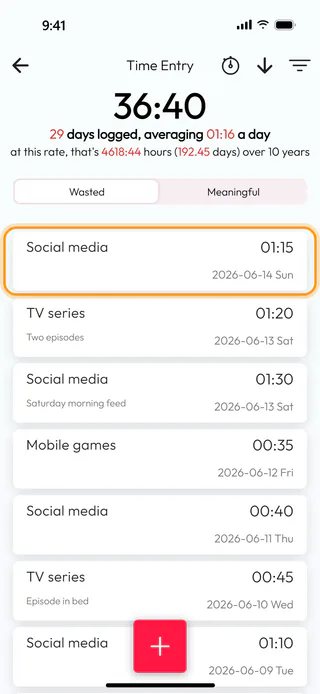
Tap Save. When the duration has changed, the app tells you for a few seconds how the corrected entry moved your average, and you are back in Time Entry, where the entry now shows 01:15 and the side has grown to 36:40, averaging 01:16 a day.
Delete an entry
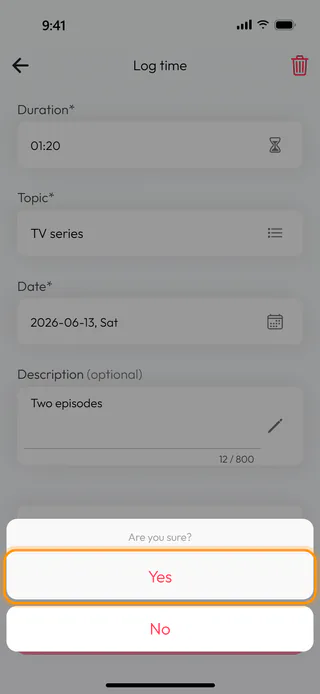
Open the entry you no longer need, here TV series with 01:20 on 2026-06-13, and tap the bin at the top right. The app asks "Are you sure?". Yes deletes the entry, the app confirms with "Time entry deleted" and the totals shrink straight away, while No leaves everything as it was. A deleted entry cannot be brought back from inside the app, only by restoring a backup made before you deleted it.
What's next
To find an entry among many, Sort and filter your entries narrows the list down to a topic or a word. An entry always stays on the side of its topic, so moving time from wasted to meaningful means converting the whole topic, as Change or delete a topic shows.

